
If you’ve ever come across a strange-looking link on your Android phone that says something like content://cz.mobilesoft.appblock.fileprovider/cache/blank.html, you’re not alone. This link might look scary or confusing, but don’t worry — it’s not a virus or anything dangerous. In this article, we’ll explain what this mysterious link means, why it shows up, and whether or not you need to do anything about it. Our guide is written in plain English so even a 10-year-old can understand it.
What Is content://cz.mobilesoft.appblock.fileprovider/cache/blank.html?
The link content://cz.mobilesoft.appblock.fileprovider/cache/blank.html is known as a content provider URI in Android. It refers to a specific file or data inside an Android app. In this case, the app is called AppBlock — a popular productivity app developed by a company called MobileSoft.
Let’s break this down:
- content:// — This means it’s a content link, used internally by Android apps.
- cz.mobilesoft.appblock — This is the name of the AppBlock app (its package name).
- fileprovider/cache/blank.html — This points to a cached HTML file (a blank one) stored by the app.
Basically, this link is like a shortcut that helps the AppBlock app manage its data. It does not go to a real website. It’s stored on your phone and used by the app to control certain actions like blocking websites or managing what’s displayed.
Why Does This Link Show Up on My Phone?
You might see this link if:
- You’ve installed or used the AppBlock app.
- Your phone is running an Android system that shows content links.
- You’re checking app activity or logs.
- An app crash or bug made the link visible.
- Some other app is referencing data from AppBlock.
This link is usually hidden from users, but sometimes it might appear when there’s a glitch, or when you use file managers or browser history viewers that reveal internal app files.
In short, the link shows up because the AppBlock app created it during its normal operation. It’s not something to panic about.
Is It a Virus or Something Bad?
The good news: No, it’s not a virus. It’s not malware, spyware, or anything harmful.
This link is just part of how Android apps manage data. You can think of it like a “bookmark” that apps use internally to refer to files they’ve created.

However, if you didn’t install AppBlock yourself and you still see this link often, it might be a good idea to:
- Check which apps are installed.
- See if someone else installed AppBlock on your phone.
- Run a quick antivirus scan just to be safe.
Otherwise, this link by itself is harmless.
What Is AppBlock App?
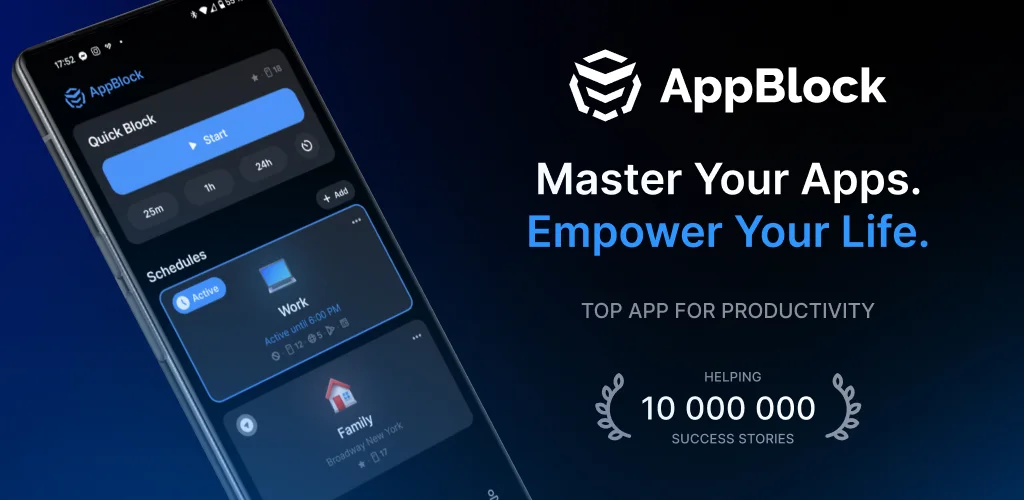
AppBlock is an Android app that helps users block distracting apps or websites. It’s used by students, professionals, or parents who want to focus more and avoid distractions from social media or games.
Here’s what AppBlock does:
- Blocks access to specific apps or websites.
- Lets you set “focus time” where distractions are disabled.
- Tracks how much time you spend on apps.
- Stores cache files like the one in blank.html to block or redirect certain sites.
This app is quite popular and has been downloaded millions of times. It’s made by a trusted developer named MobileSoft from the Czech Republic.
Why Does AppBlock Use This Link?
The AppBlock app uses links like content://cz.mobilesoft.appblock.fileprovider/cache/blank.html to manage internal processes such as:
- Redirecting blocked websites to a blank page.
- Storing temporary files in the app’s cache.
- Handling background operations silently.
So when AppBlock blocks a website, it might redirect the web browser to this blank HTML page stored inside the app. This is done to show nothing to the user or keep the experience smooth.
It’s completely normal and is just how the app is designed to work.
Is It Safe to Ignore This Link?
Yes, you can safely ignore it. As long as:
- You have AppBlock installed.
- You trust the app (which most users do).
- You didn’t notice strange behavior or suspicious activity.
However, if you are seeing this link very often or in places where it doesn’t belong (like your browser homepage), then it’s worth checking whether AppBlock is causing problems or conflicting with other apps.
How to Remove
If you want to remove this link from your phone, here are some simple steps:
- Clear AppBlock’s Cache
- Go to:
- Settings > Apps > AppBlock > Storage > Clear Cache
- This will remove the cached blank.html file from the app.
- Uninstall AppBlock (if you don’t use it)
- Go to:
- Settings > Apps > AppBlock > Uninstall
- Or long-press the app icon and tap uninstall.
- Use a File Manager
- If the link is still visible, use a file manager app and navigate to AppBlock’s folder under Android/data or cache folders, and delete related cache files manually.
This should remove the internal link completely.
Can I Stop It from Coming Back?
Yes, you can stop it from reappearing by:
- Not reinstalling AppBlock, or
- Disabling cache generation if the app allows it (check its settings), or
- Using app alternatives that don’t use internal content links.
If you still want to use AppBlock, then just know this link might come back as it’s part of how the app functions. It’s not a problem unless it causes errors.
You can also turn off system developer options or file visibility settings to hide such internal links from being shown.
Related Problems with Android App Links
Android has a special system for managing files and content shared between apps. This system is called the Content Provider framework.

When apps need to share or reference files, they use links like content://cz.mobilesoft.appblock.fileprovider/cache/blank.html.
content:// Links in Android Explained Simply
A content:// link is like a private shortcut used by an app to open a file stored inside itself. It does not point to a real website. These links are only understood by the Android system.
Examples:
- content://com.whatsapp.provider/backup/files — Used by WhatsApp.
- content://media/external/images — Refers to your gallery.
In this case, content://cz.mobilesoft.appblock.fileprovider/cache/blank.html just refers to a file used by AppBlock.
Should I Be Worried About content:// Links?
No, you shouldn’t be worried in most cases.
These links are:
- Used internally by apps.
- Not visible unless you use a special tool or system viewer.
- Safe unless created by a suspicious app or malware.
If you trust the app (like AppBlock), then this link is nothing to worry about.
When Should You Take Action?
Take action only if:
- You see this link too often or in your browser homepage.
- You did not install AppBlock, and it’s still showing.
- You notice performance issues or battery drain.
In such cases:
- Uninstall suspicious apps.
- Run a security scan.
- Use a junk cleaner to remove cached files.
Thoughts — Stay Safe and Informed
The Android system is powerful, but sometimes technical links or files like content://cz.mobilesoft.appblock.fileprovider/cache/blank.html can confuse users. Just remember: these are usually harmless, part of how apps work, and can be ignored if you’re not seeing any issues.
Understanding these technical terms helps you stay safe, avoid panic, and make better decisions about the apps on your phone.
The Bottom Line
To sum it up:
- The link content://cz.mobilesoft.appblock.fileprovider/cache/blank.html is not a virus.
- It’s used by the AppBlock app to block websites by redirecting to a blank page.
- It’s safe to ignore unless you see strange activity.
- You can remove it by clearing the app cache or uninstalling AppBlock.
- These types of links are common in Android and not dangerous by themselves.
Always stay aware of what’s installed on your phone. If you’re not using AppBlock, feel free to remove it. But if you use it regularly, don’t worry about this link—it’s doing its job behind the scenes.